
Carbon Calculator
Choose your starting point.
We connect the calculation.
Turn a product or customer order into a carbon footprint and a report. Start with the product data you have; reuse the groundwork already in CarbonLoop.
Your product. Your quantity. Your delivery journey.
One connected calculation
Less starting from scratch.
 MatchReuse product data
 CalculateReview scope + inputs
 ReportShare the result
Prepared product records, connected to the details of your order.
Start with what you have
Three ways in. One calculation workflow.
You don’t need to research every material or manufacturing process yourself. Choose an available product record, or let AI find a likely match from your description, then review the details.
Start from your purchase document.
- What you have
- A purchase order, invoice or supported order file with products and quantities.
- What CarbonLoop does
- Reads the document to help organise product and quantity details for calculation.
- What you confirm
- Check extracted details, select the right product matches and add the relevant delivery information.

A few checks before you calculate
The groundwork is ready. Make it fit your order.
Confirm the product
Review the SKU, materials, weights and packaging available in the record. Refine modelled inputs when you have better supplier information.
Add the quantity
Set the number of units in the order. Keep the per-product result and the combined order footprint connected.

Set the journey
Choose the relevant start point, destination and transport scope. Check assumptions before using the result with a customer.
Understand the result
See the footprint—and the inputs behind it.
Review CO₂e per unit alongside quantities and the combined order result. Product details connect the calculation to the materials and manufacturing model behind the selected SKU.
- Raw materials and component weights
- Manufacturing inputs and model assumptions
- Packaging and included transport stages
Coverage follows the agreed calculation boundary. Review the included stages and available evidence alongside the number.
Explore how we prepare the product data →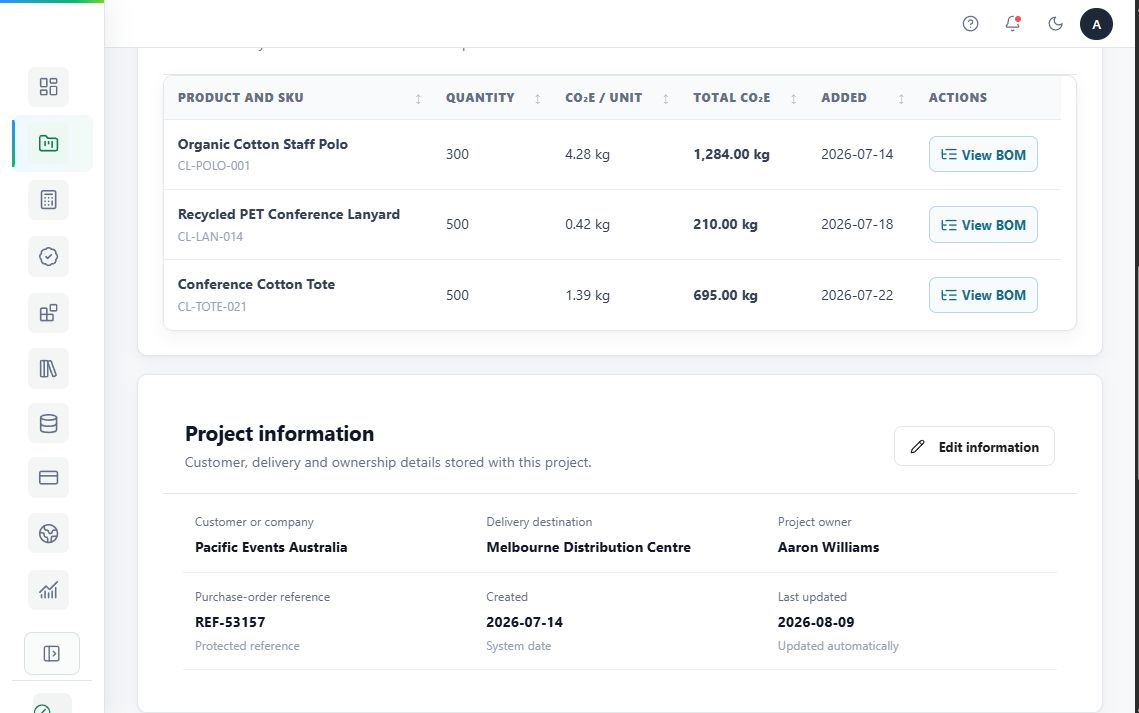
Make the boundary clear
From the product’s starting point to your customer’s destination.
A supplier’s product record may cover an agreed factory gate, FOB point or supplier warehouse. A distributor can build on that foundation with the onward journey relevant to their order.
Confirm what is already included before adding transport, so the same stage is not counted twice.

Product foundation
Agreed supply point and the stages already included in the product record.
Order-specific journey
Relevant destination, transport details and quantities for this customer order.
Keep the work together
Save the project. Share a clearer report.
Bring the selected products, quantities and combined calculation into a project for the customer, order or campaign.
- Keep the context: product records, order details and calculation scope.
- Prepare for reporting: use the protected calculation record when the project is locked.
- Download the report: share the footprint with its assumptions and supporting detail.
A footprint report describes what was calculated. Purchased carbon credits and their certificate evidence are separate records.

An optional next step
Calculate first.
Explore credits separately.
After reviewing the footprint, customers can explore available carbon-credit projects and decide whether to make a separate purchase. This is optional; it is not a requirement for understanding or reporting the calculation.
Explore Carbon Offsetting →Two records, clearly connected.
The emissions calculation remains the footprint of the product or order. A purchased-credit record and associated certificate document the separate credit action.
See your products in the workflow
Try the calculator
with your products.
Bring a sample product or order. We can show you how matching, calculation inputs and customer reporting fit together.
Explore document upload, saved SKUs or product descriptions, using the information your team already has.